
The right 2FA code, right when you need it.
Sync Authenticator shows your two-factor code next to the box that asks for it. Click Copy or Fill in, and you're done. Encrypted with your master password, and synced to your other computers and your phone if you want.
Free. No ads, no tracking.
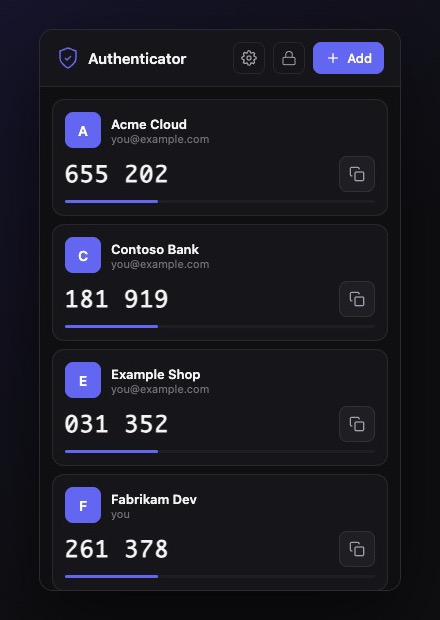
How it works
Three steps, then it just works.
- Step 1
Set up in seconds
Install the extension and create a master password. It never leaves your computer.
- Step 2
Add your accounts
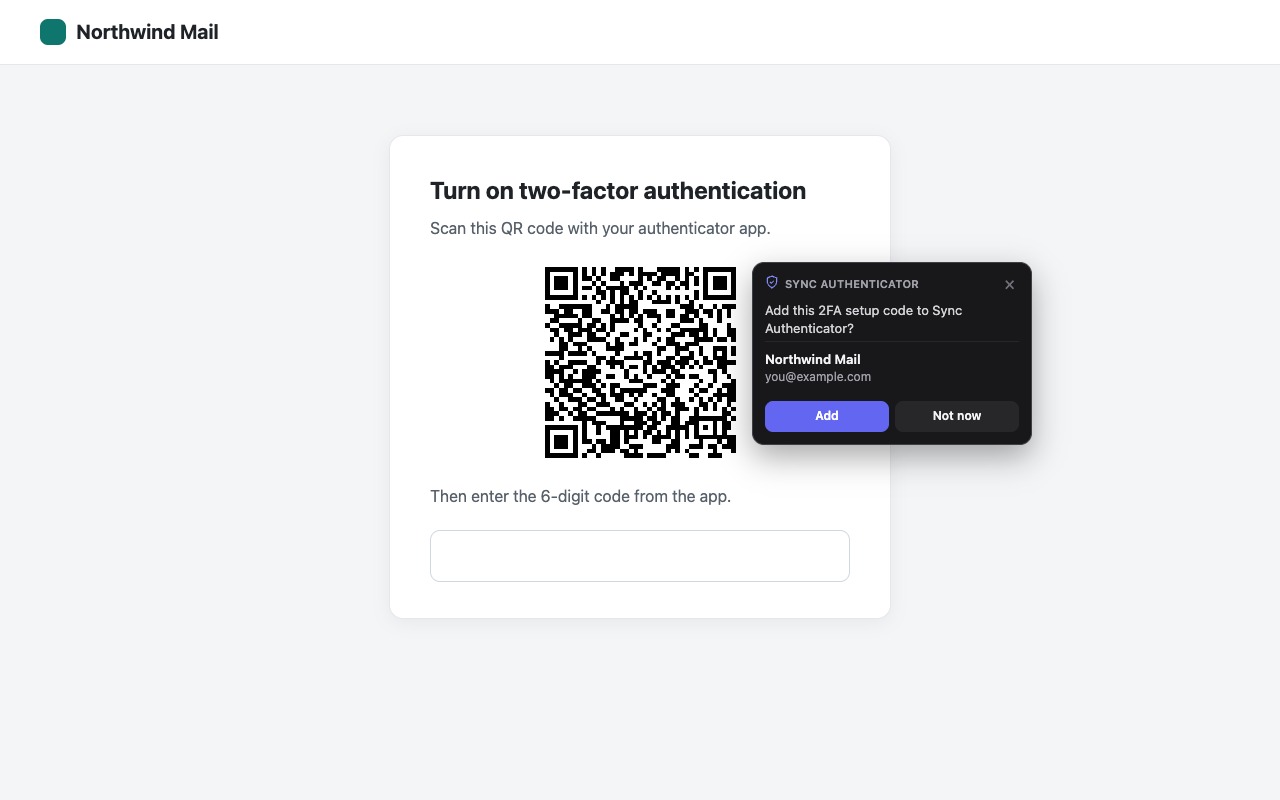
When a site shows a 2FA setup QR code, Sync Authenticator offers to add it with one click. You can also scan a screenshot or paste a setup key.
- Step 3
Sign in faster
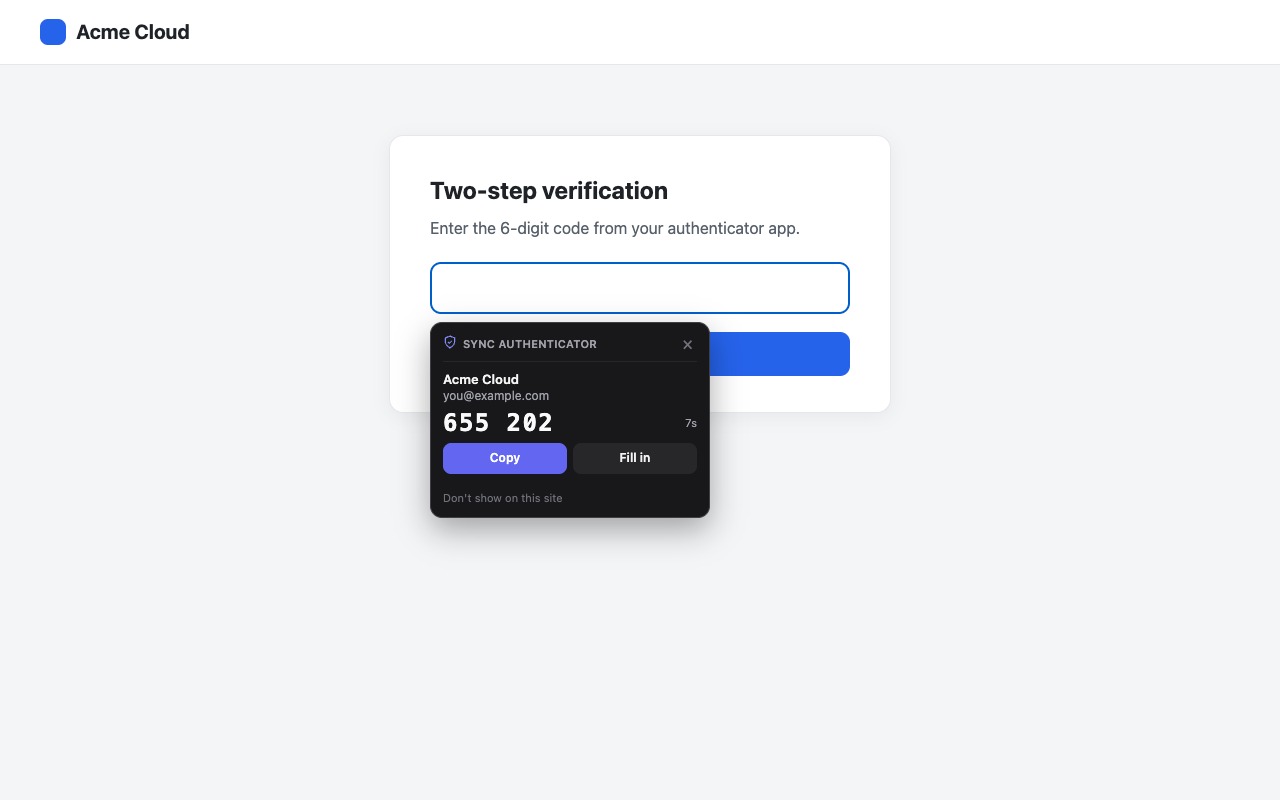
When a site asks for a 6-digit code, a small card appears with the right code. Copy it or fill it in. Nothing is ever submitted for you.
Features
Everything you need to sign in faster.
Finds the code box for you
Recognizes 2FA prompts on any site and shows the matching code.
One-click setup from QR codes
Spots setup QR codes on the page. No phone needed.
Encrypted on your device
AES-256-GCM encryption with a key made from your master password. Your password is never stored or sent.
Optional sync
Use the same accounts on all your computers and your phone. The server only stores encrypted data it can't read. Changes reach your other devices in seconds.
Works with your accounts
Any site that uses authenticator-app codes (TOTP): Google, Microsoft, GitHub, AWS, OpenAI and thousands more.
Built for speed
Auto-lock, keyboard shortcuts (Alt+Shift+A to open, Alt+Shift+2 to fill), and exportable backups.
Your codes on your phone too.
Open sync-authenticator.frank-c90.workers.dev on your iPhone or Android phone, sign in with your sync account, and add it to your home screen. It works offline and stays in sync with the extension.
- iPhone and Android
- Works offline
- Stays in sync with the extension
Private by design.
Your codes are yours. Sync Authenticator is built so that nobody else, including us, can read them.
Read the privacy policy- Your 2FA secrets are encrypted before they're saved or synced. Nobody else can read them, including us.
- Your master password never leaves your device.
- No analytics, no ads, no selling data.
- Sync is optional. Without it, everything stays on your computer.
- Delete your sync data from the server at any time from the extension's settings.
Support
Need help? Check the answers below or email us at support@ai4b2day.com.